The gala check-in table, the weekend gathering, the food drive, and the whole week online all belong in one ledger. Use a kiosk, QR, Tap to Pay, donate page, widget, social link, or live fundraising screen — and every gift lands against the right fund.
Community plan: 1 kiosk license included, plus QR and donate pages from day one.
The job
The room where people gather — and the feeds, group chats, and inboxes where they spend the rest of the week. Collection has to work for both, without two systems, two reports, or two sets of records.
The benefit dinner, the weekend service, the open house, the drive at the community center. A kiosk at the entrance, QR codes on the table cards and the program, volunteers' phones at the door, and a live giving code on the screen when the whole room gives together.
The donate-page link in the community WhatsApp group, the link in bio, the widget on your website, the poster QR at the partner café — and recurring donations arriving quietly in the background, month after month, whether or not anyone was in the room.
Every method on this page feeds the same records — annual fund, scholarships, building fund, emergency relief — designated to the right fund or program the moment the donation lands. And whatever your community calls generosity — donation, tzedakah, dana, seva — cultural intelligence keeps the vocabulary right on every screen.
On premise
For many organizations — from foundations running galas to faith communities with weekly gatherings — in-person giving is where the relationship lives. Three ways to receive it on site, from a full kiosk to zero hardware at all.
Entrance kiosk
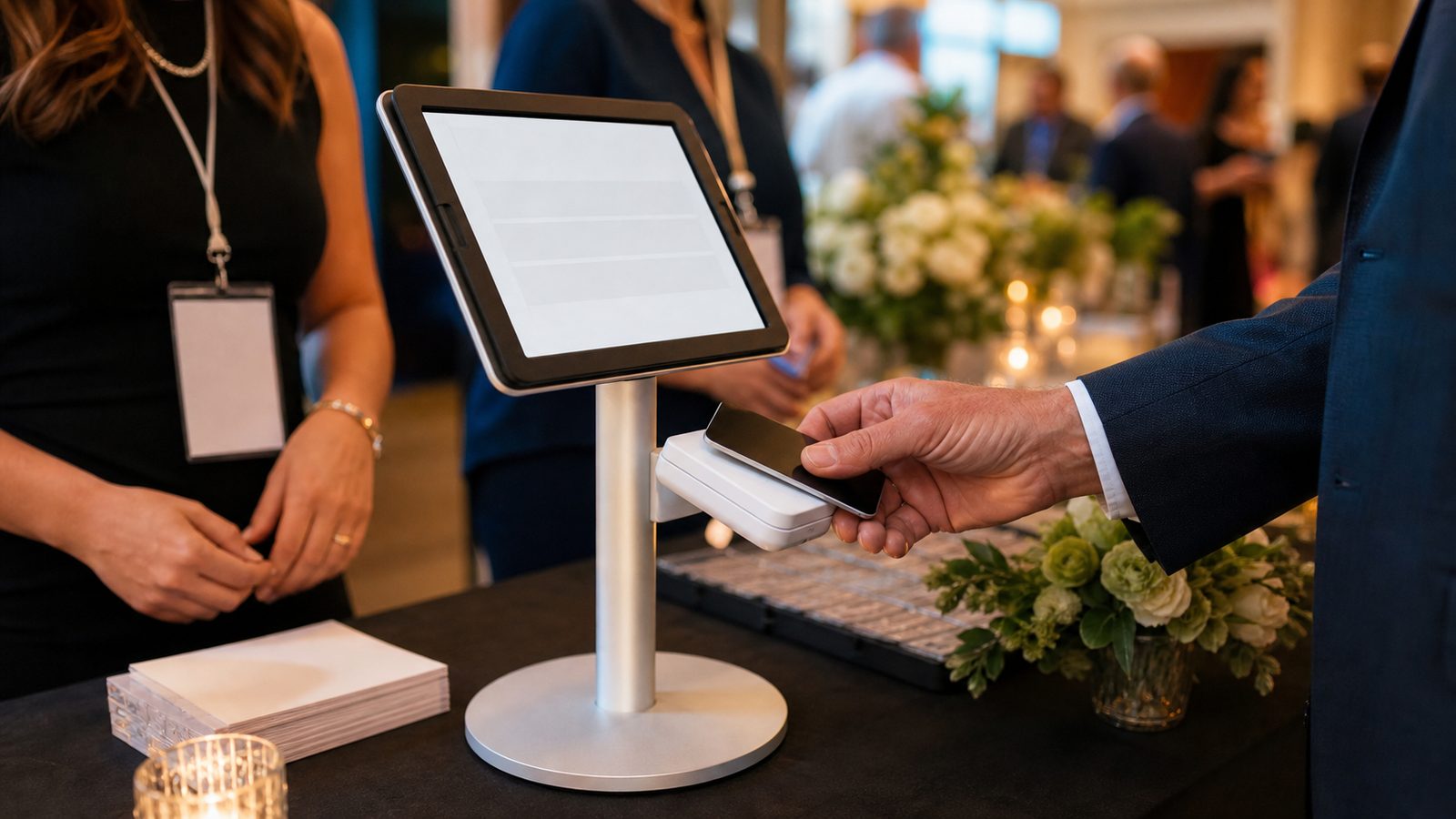
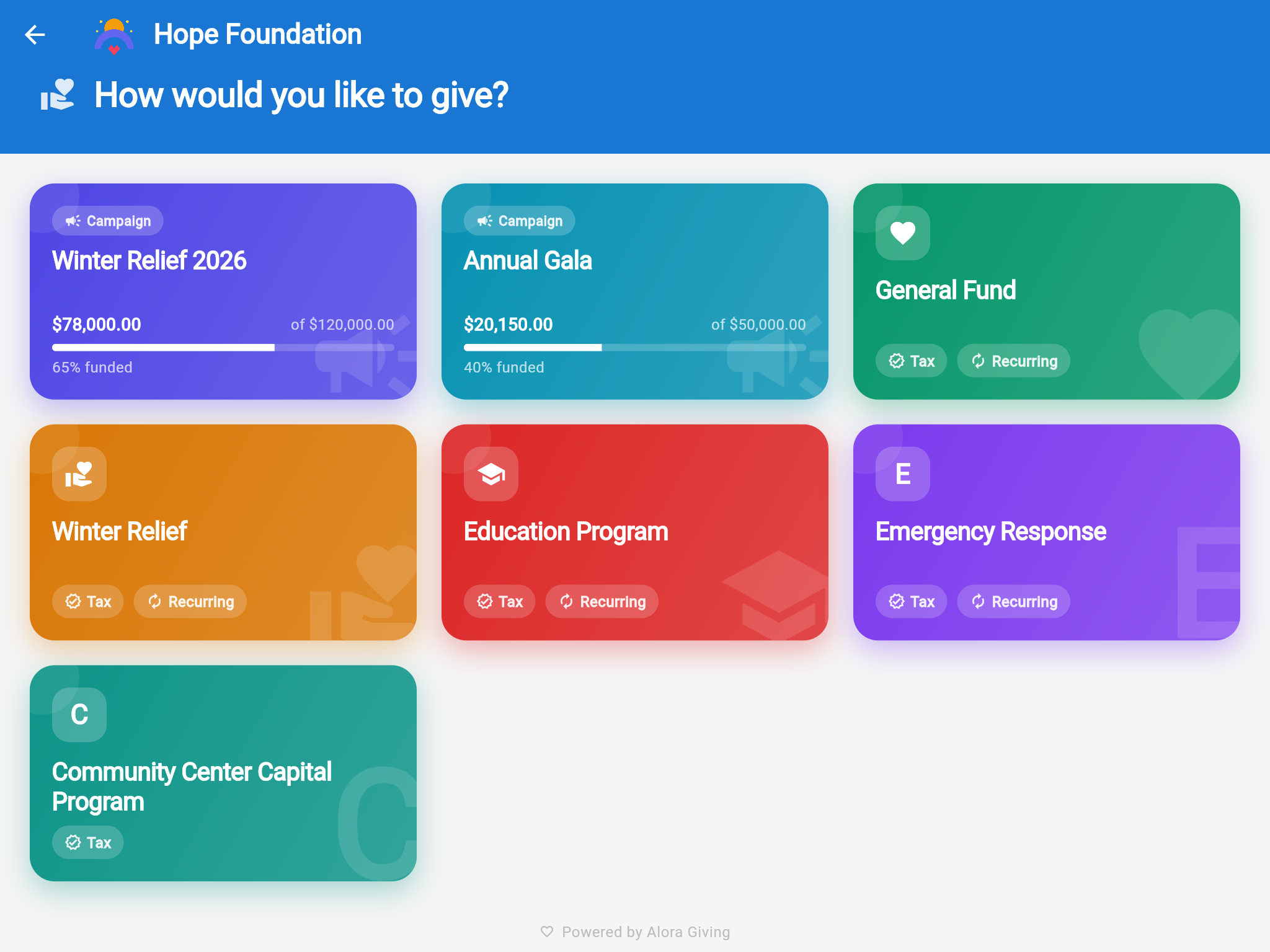
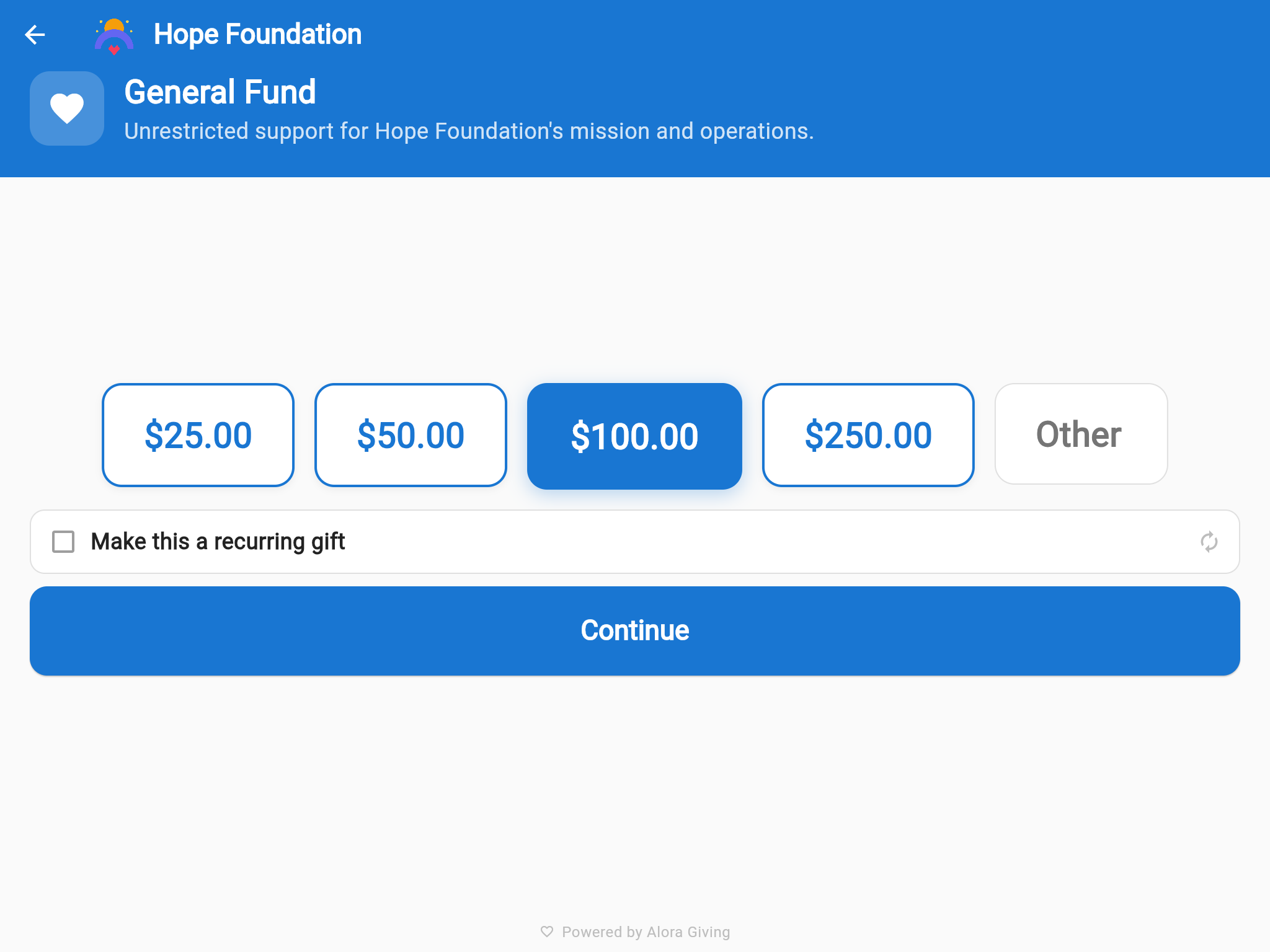
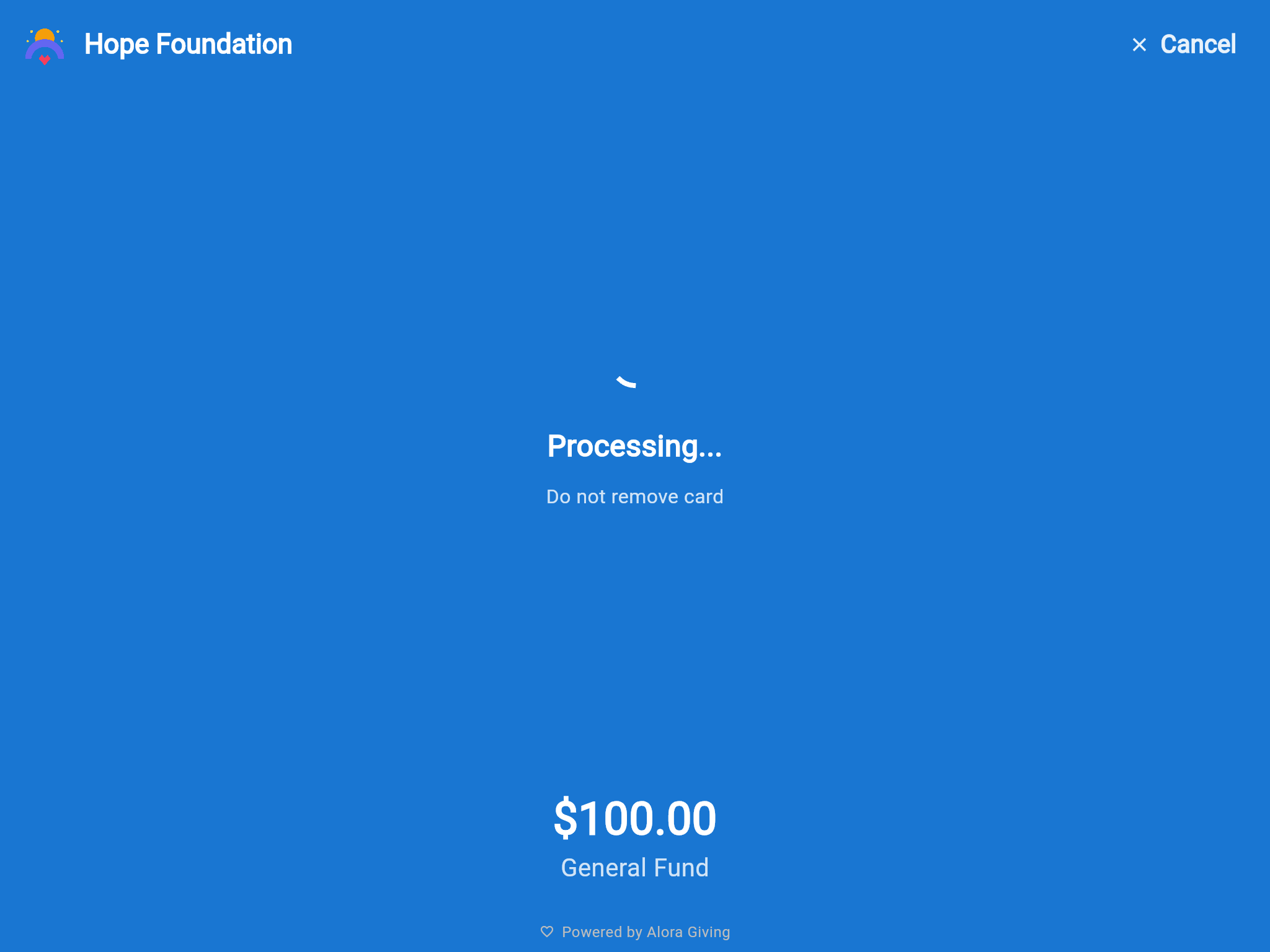
A tablet on a stand with a card reader — at the gala check-in table, the lobby, the entrance hall. Donors choose a fund, pick an amount, and tap their card — done in under fifteen seconds, on the way in or on the way out. The idle screen shows your campaign's live progress between donations.
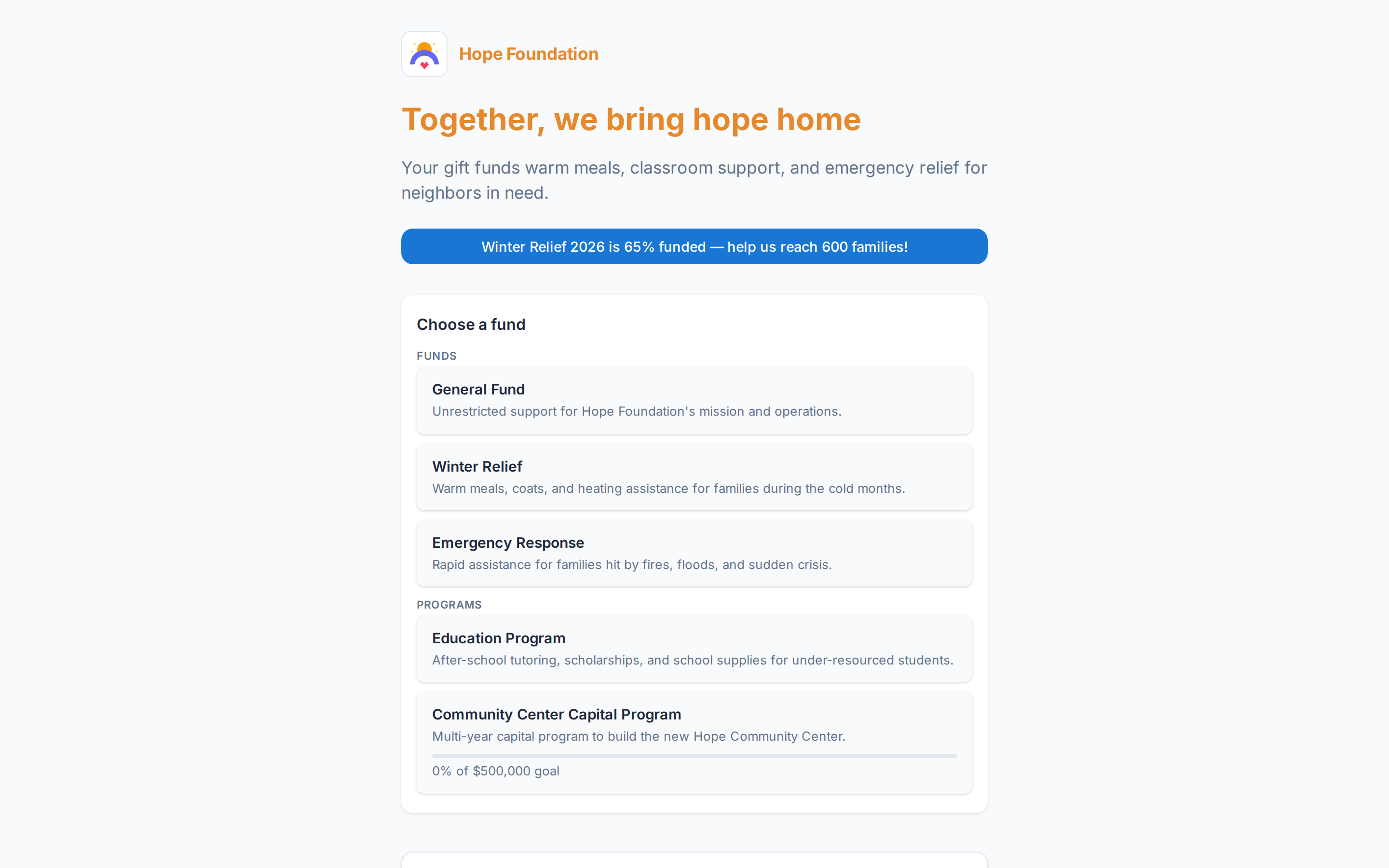
Every donate page ships with a print-ready QR and a giving.at short link
QR codes everywhere
Every donate page comes with a print-ready QR code. Put it on the lobby poster, in the event program, on the table cards at the benefit dinner, on flyers in the welcome packet, and on the projected slide when the appeal is made. A supporter scans it and lands on your mobile donate page — no app to install, no account needed for a first donation.
Phone as kiosk
The check-in line grows at the gala. With the included brand mobile app, a volunteer opens the Alora Giving app on their Android phone, switches it to kiosk mode, and starts receiving donations with Tap to Pay — the donor taps their card or phone on the volunteer's phone. No reader, no tablet, no stand.
A volunteer's Android phone, locked to the donation flow
Your donate page
The donate page is the destination everything else points to. Pick a ready-made template, let AI draft the copy — your staff approves before anything goes live — and publish in minutes. Link it to a campaign so the progress bar climbs as donations arrive, or run it evergreen as your organization's always-on donate page.
Social & community channels
The community WhatsApp group, the link in bio, the short video, the ad that reaches the neighborhood — your donate page travels everywhere as a short link and a QR code. No integrations to install; just links and pages, used well.
Drop the campaign link into the group where your community already talks — the volunteer circle, the temple's community group, the school's parent group. Two taps from the conversation to the donation.
Your donate page as the bio link — on Instagram, Facebook, and YouTube, always one tap away.
Print-ready QR codes for posters, flyers, and table cards — the analog bridge to digital giving.
Run Meta or Google ads straight to a campaign-linked donate page — a donation-ready landing page, out of the box.
Your website
Paste one script tag and your website has a giving widget — fund and amount presets, a recurring-donation toggle, live campaign progress, and checkout in a hardened iframe so card data never touches your site. No developer project, no waiting on the agency that built the website.
<script async src="https://widget.aloragiving.com/embed.js"
data-widget="your-widget-id"></script>
The whole integration — one script tag
The live screen — one code, every phone in the room
Live fundraising events
Galas, giving days, benefit dinners, community fundraisers, festival appeals. Put a 4-character code and a QR on the screen — the room gives from their phones, the entrance kiosk, and your website, and the total rises together, in real time, in front of everyone.
One ledger
A donation tapped at the kiosk, scanned from a poster, shared through the WhatsApp group, given at a live fundraising event, or arriving from an ad — they all land in the same fund-separated ledger, designated correctly the moment they arrive. Tax receipts match your country — 501(c)(3) language in the US, CRA in Canada, Gift Aid flagging in the UK, country-aware everywhere else — and year-end statements are per donor, ready when filing season comes.
And recurring donations ride every method. A first donation from any channel can become a monthly or weekly recurring donation — managed by the donor in their own My Giving portal, without calling your office.
Cards lead where you fundraise — Stripe and PayPal first across North America, the UK, and Australia/NZ — and the same ledger reaches further when you do: 19 payment rails, 8 calendar systems, and 14 locales for NGOs, diaspora communities, and organizations giving across borders. See the global reach →
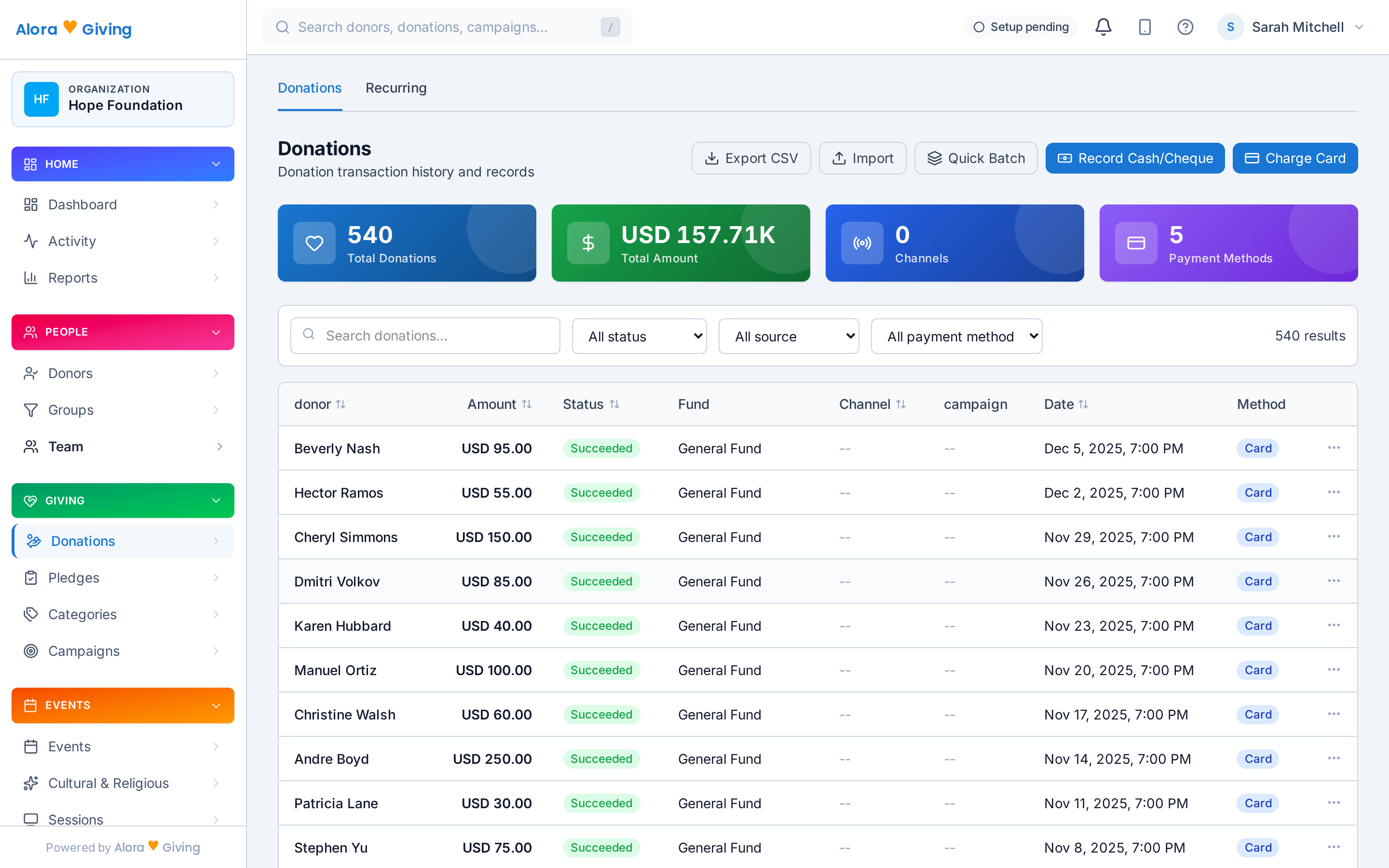
Every donation from every channel, in one place — designated to the right fund