Your organization runs programming all week

Right now the schedule lives in a spreadsheet, the sign-ups live in someone's inbox, and the website calendar has been out of date since March. The job is simple to name and hard to do: fill the room, know who's coming, and don't let it all rest on one heroic volunteer.

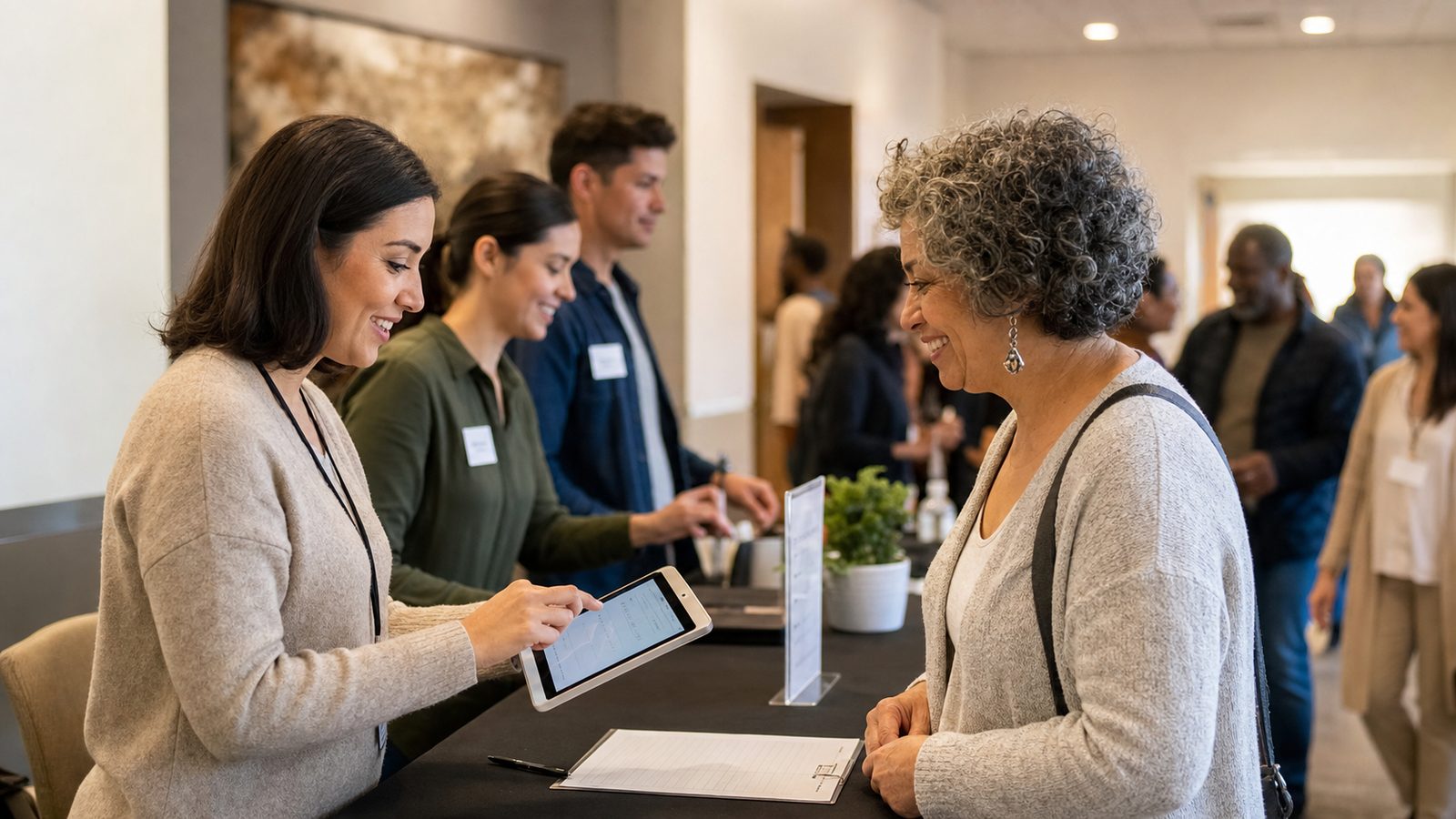
Volunteers use a tablet to check in attendees for a nonprofit event
Program check-in at the table — attendance, RSVP status, and follow-up tied back to the event.
Sun
Open house11:00 am
Donor thank-you brunch12:30 · RSVP
Mon
Language class6:30 pm · wk 4 of 10
Tue
Food pantry10:00 – 1:00
Wed
Youth mentoring4:00 pm
Thu
Volunteer orientation7:00 pm · RSVP
Fri
Community dinner6:30 · 52/60 seats
Sat
Health fair9:00 – 2:00

…and the Spring Benefit Dinner is coming in June, with 150 seats, a waitlist, and a room full of donors to thank afterward.

Every event gets a public page, an RSVP list, and a plan

The volunteer orientation, the ten-week language course, the spring benefit dinner — each becomes a public event page with a shareable link. Supporters open it, read the details, and RSVP — no account to create, no app to install. Drop the link in the newsletter, the link-in-bio, or the community's WhatsApp group.

RSVP that respects capacity

Set the number of seats — the room holds what it holds. RSVPs count down in real time, and the event closes itself when it's full.

Waitlists with auto-promotion

When the last seat goes, new RSVPs join a waitlist. Someone cancels? The first person in line is promoted automatically — nobody keeps the list on paper.

The list your team actually needs

Who's coming, who's waiting, who cancelled — one view for the volunteer coordinator, the caterer's headcount, and the program director's Monday briefing.

Hope Foundation

Spring Benefit Dinner 2026

📅 Saturday, June 20 · 6:30 – 9:30 pm
📍 Riverside Community Hall
142 of 150 seats reserved
Reserve seats →

Full? Join the waitlist — seats open as plans change.

A public event page — share the link anywhere your community reads.

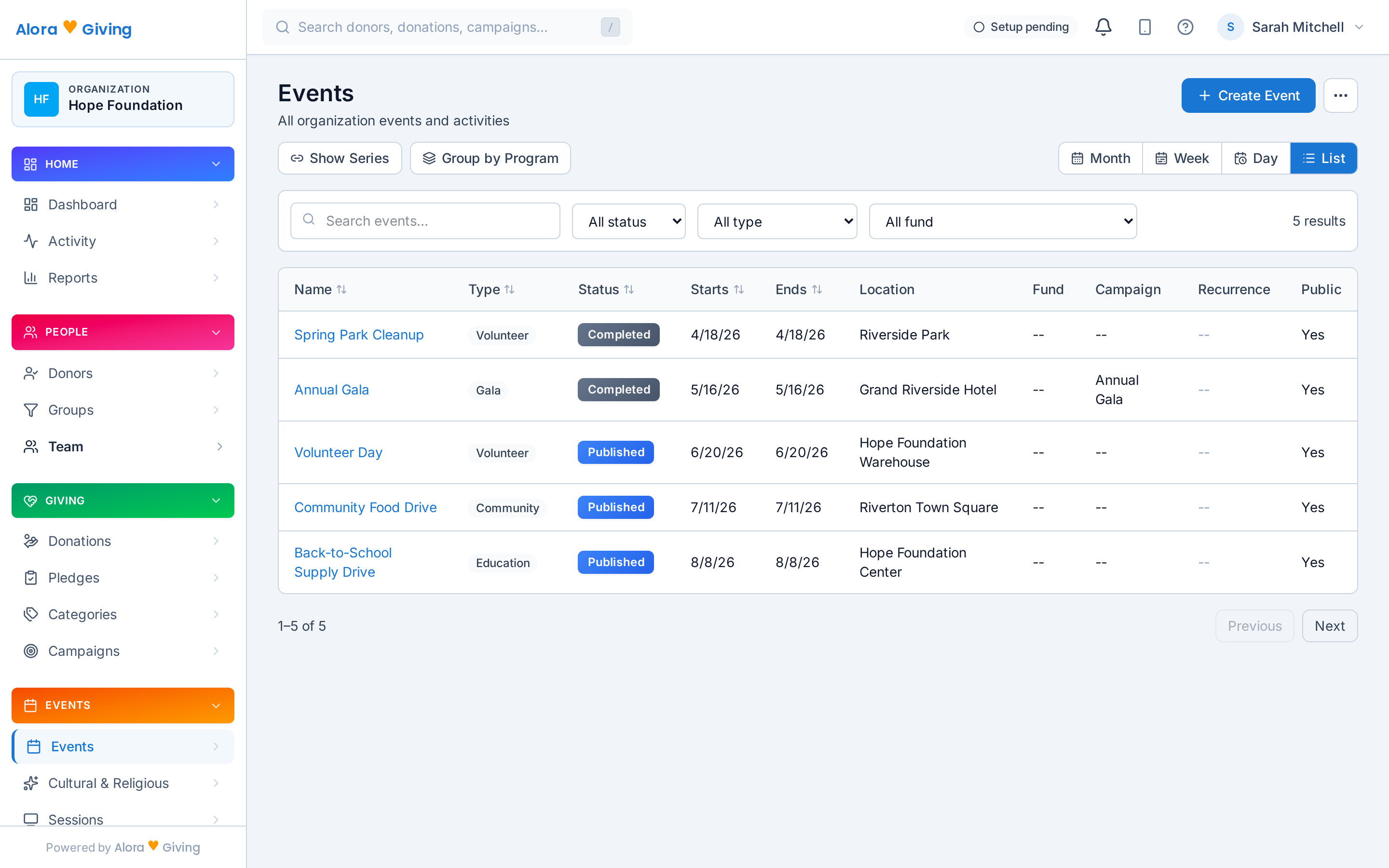
The events calendar in the Alora Giving dashboard — month, week, day, and list views

The events calendar in the dashboard — month, week, day, and list views.

One calendar your whole community lives on

1

Programs project their schedules

The language course's ten Monday sessions, youth mentoring every Wednesday, the food pantry every Tuesday — each program writes its own schedule onto the organization's calendar. Change the program, and the calendar follows.

2

Tradition calendars overlay it

Ramadan, the High Holy Days, Advent, Diwali, Vesak, Vaisakhi — whichever observances your community keeps are already on the calendar when you plan, alongside the civil and fiscal year. Schedule the food drive into the season of generosity, not on top of it. Eight calendar systems, built in →

3

Members subscribe once

Everyone adds your organization's .ics/iCal feed to Google Calendar, Outlook, or Apple Calendar — and new events simply appear on their phones. No more "when is it again?" messages.

Announce it where your community already looks

Create the event once — then let it show up on your website, the lobby screen, and in the inbox of exactly the people it's for.

🖥️

Events widgets on your website

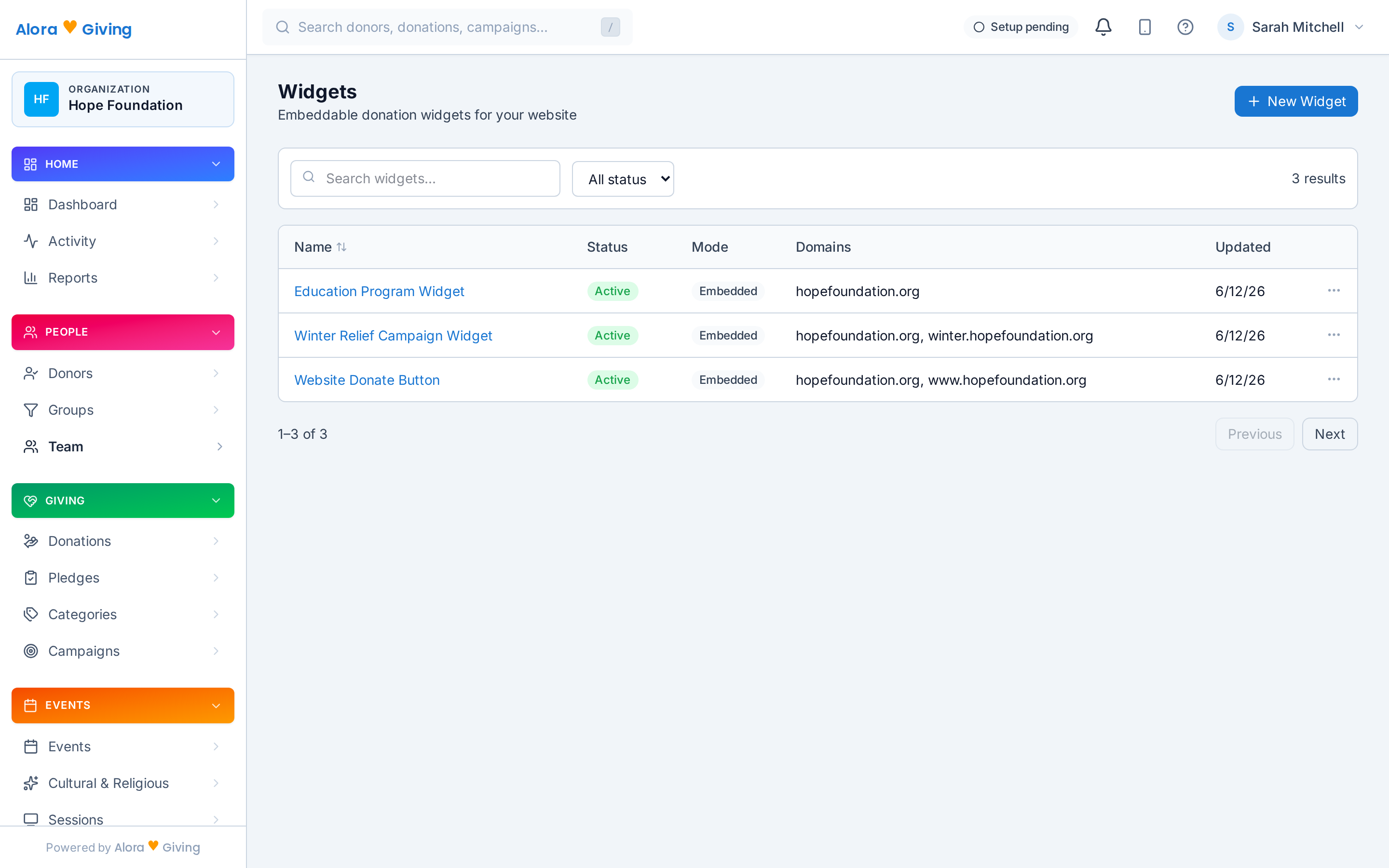
Event cards with one-click RSVP, a mini-calendar of what's ahead, and countdown timers — embedded on your existing website with one line of code. Website widgets →

📺

Signage announcementsEarly access

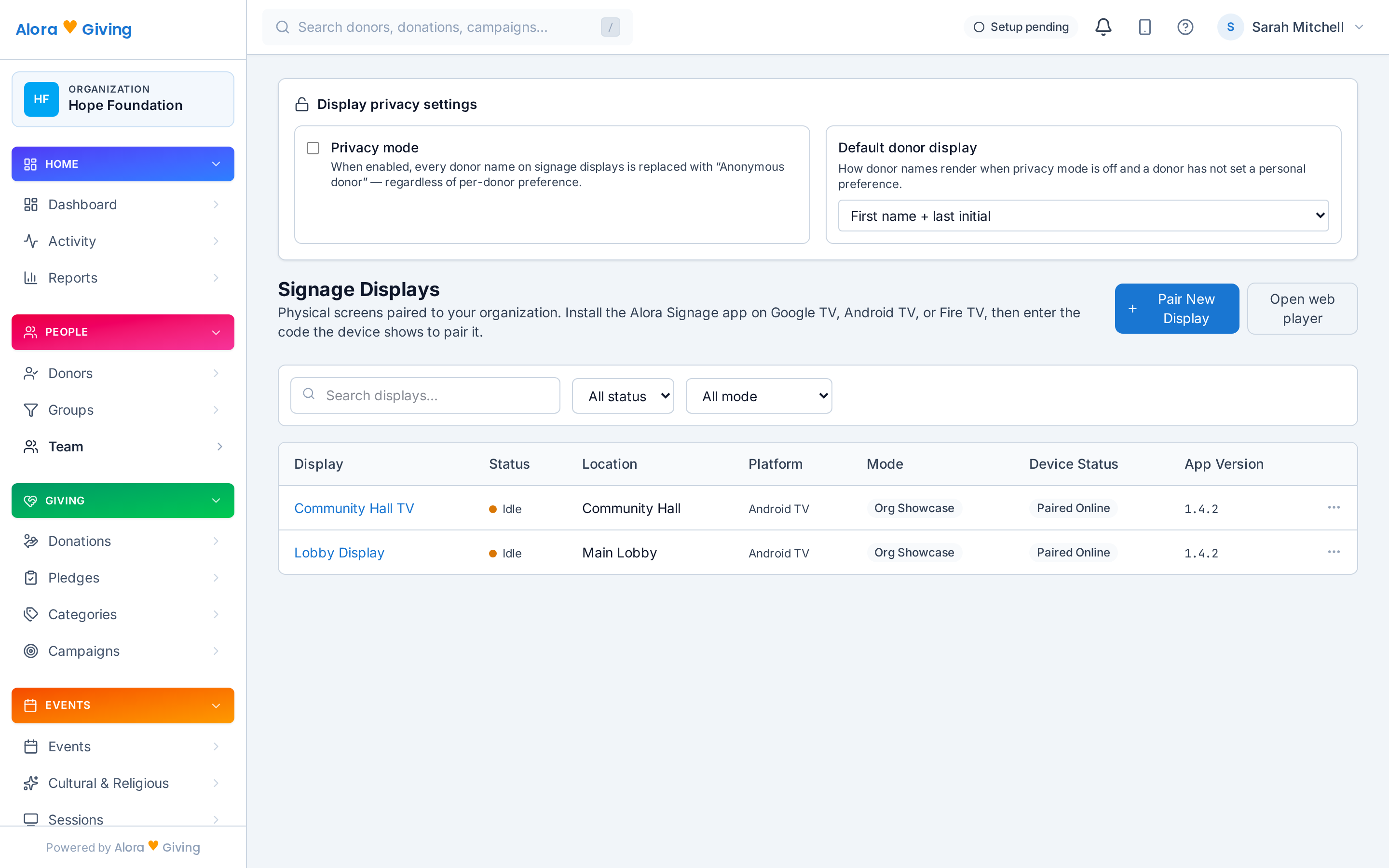
Upcoming events rotate on the lobby screen — the benefit dinner, registration open for the fall program, this week's schedule — managed from the same dashboard. Digital signage →

✉️

Email, to exactly the right people

Segment-targeted broadcasts: families in the youth program get the mentoring update, benefit-dinner guests get the seating note — each donor emailed individually, not the whole list every time. Automation → · Segments →

The widget workspace in the Alora Giving dashboard — embeddable widgets for your website
The widget workspace — embeddable widgets for your website, managed from the dashboard
Signage displays paired from the Alora Giving dashboard — Google TV, Android TV, Fire TV (early access)
Signage displays, paired from the dashboard — Google TV, Android TV, Fire TV (early access)

When the dinner is also a fundraiser

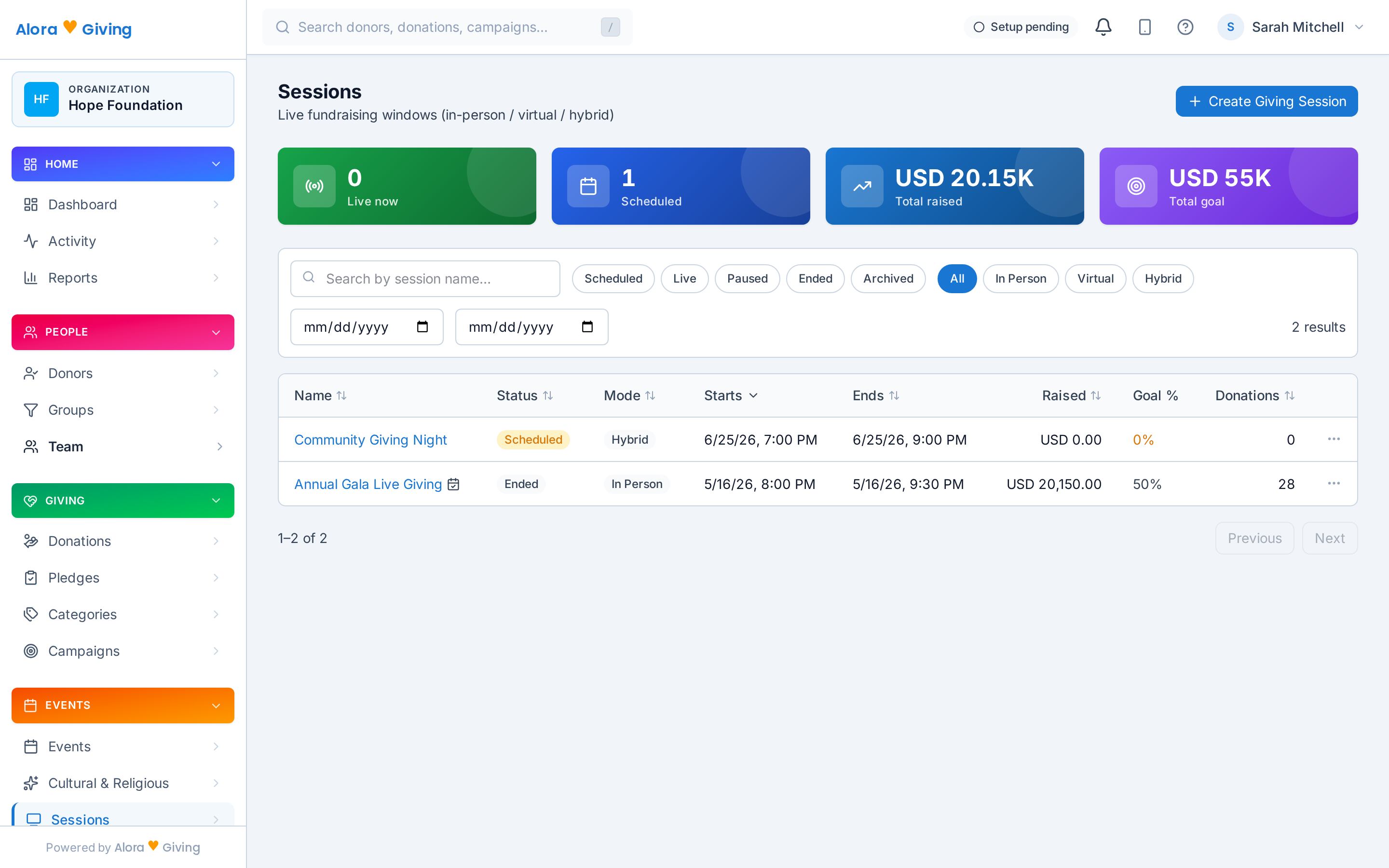
The benefit dinner, the ticketed gala, the annual giving day — some evenings are both a gathering and an ask. Pair the event with a live fundraising event: RSVP handles the seats; the live fundraising event handles the donations.

Guests scan the QR on the table card or enter a short code from their seat, donate in a few taps, and watch the total climb on the big screen as the room responds together.

And every donation lands in the same ledger as every other channel — on the same donor records, counting toward the same campaign, on the same year-end tax receipt. No separate event float to reconcile on Monday.

More on live fundraising events →

Live fundraising events in the Alora Giving dashboard — live now, scheduled, total raised, and goal

Live fundraising events in the dashboard — live now, scheduled, raised, and goal at a glance.

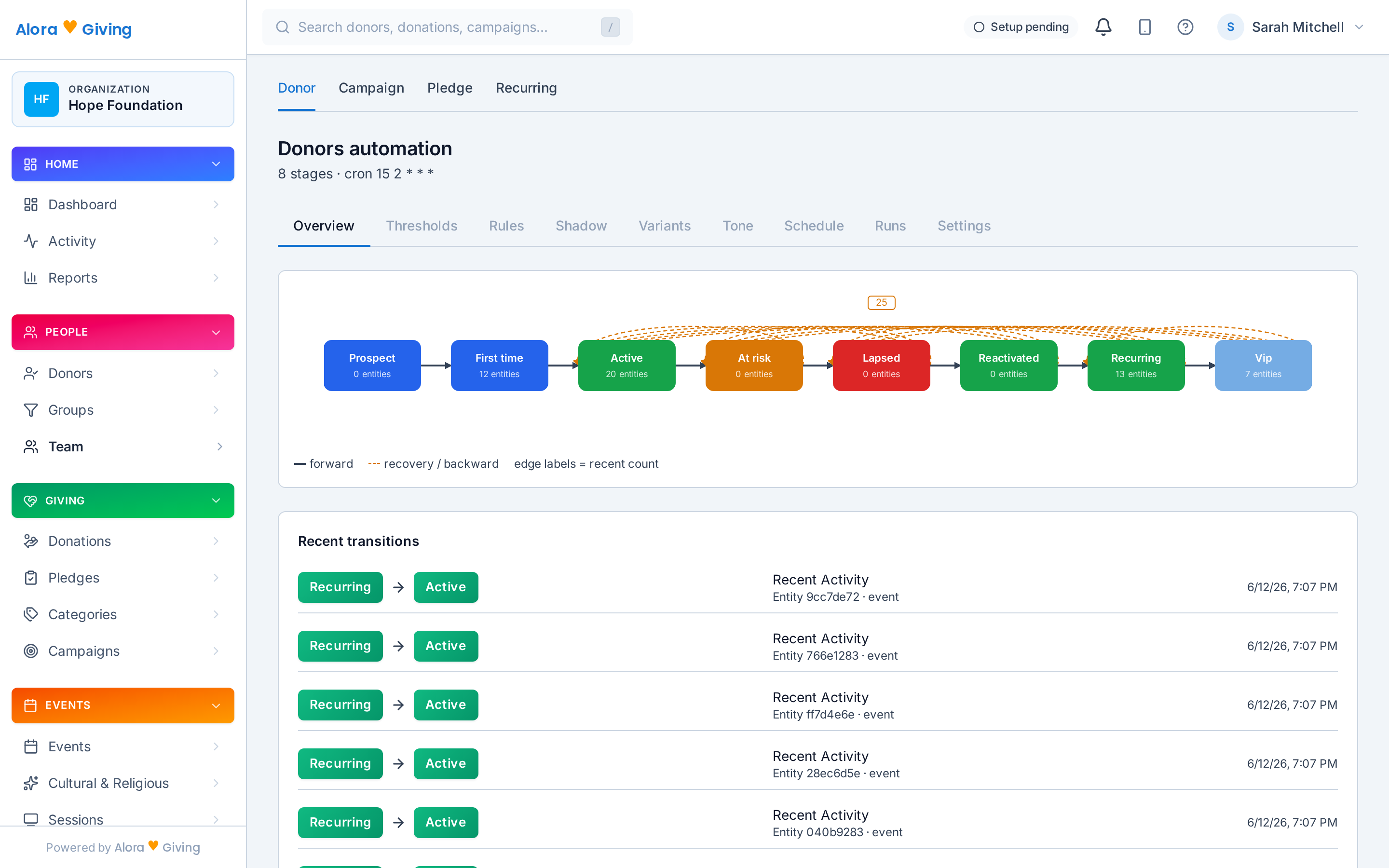
Donor lifecycle automation in the Alora Giving dashboard — stages from prospect to recurring

Donor lifecycle automation — the follow-up drafts itself; your staff approves.

The event ends. The relationship doesn't.

1

RSVPs land on the record

Who came to the volunteer orientation, who registered for the course, who RSVPs to everything — event participation lives on the same donor profiles as donations and pledges.

2

Segments see the whole person

The supporter who attends every program but has never donated. The donor who RSVPs to every benefit night. Segments built on engagement, not just donations, tell your team who to reach next.

3

Lifecycle automation picks it up

A welcome for the first-time attendee, a thank-you the morning after the dinner — automation drafts the follow-up for your staff to review and approve. Nothing sends itself.

Your first event, published today

No setup project, no developer, no waiting on whoever built the website.

1

Pick your tradition — or none

Funds, vocabulary, and calendars configure themselves in about a minute — tzedakah for a synagogue, dana for a temple, seva for a gurdwara, or plain neutral language for a secular nonprofit.

2

Create the event

Title, dates, seats, waitlist on — the public event page and RSVP list are live in a couple of minutes.

3

Share the link

The newsletter, the link-in-bio, the community's WhatsApp group, the website widget — RSVPs start arriving the same day.